

Why AI Powered Coding Assistants Matter Now
In 2026, it’s clear that artificial intelligence has changed how we build software. AI powered coding assistants are no longer just new tools; they are now a key part of how many developers work every day. These smart helpers are changing the game for faster development and better code.
One of the biggest reasons AI powered coding assistants matter is how they speed things up. Imagine being able to write code much quicker and spend less time on tasks that are repetitive or boring. That’s exactly what these tools do. They help developers by suggesting code, finding mistakes, and even writing whole parts of programs. In fact, by 2025, 78% of global development teams were using these assistants, helping them code 40% faster and cut down on debugging time by 35% AI Coding Assistant Statistics and Trend (2026). This means businesses can bring new products and features to market much faster than before.
These tools are not just for big companies either. They offer powerful advantages for small business applications too, by making developer teams more productive. This helps companies, no matter their size, handle many tasks more efficiently. Almost all developers now use some form of AI. By 2026, a large number, about 90% of developers, regularly use at least one AI tool for coding AI Coding Adoption 2026: 50 Statistics From 7 Surveys. This shows they have become popular AI tools because they act like an AI problem solver, making coding simpler and faster.
However, leaders must also think about the other side of using these smart tools. While they offer great benefits, there are also important risks and things to consider. For example, questions come up about who owns the code created by AI, how secure that code is, and if it always works exactly as it should. Companies also need to think about how to manage these tools fairly and make sure they meet all the rules. It’s important to understand how an AI development company navigates regulation and opportunity in 2026 to make sure these tools are used wisely. Looking ahead, balancing the benefits with smart rules will be key.
Want to keep up with the latest in AI and technology policy?
The AI Newsletter Worth Reading
Get clear daily AI updates from The Deep View Newsletter.

How AI Powered Coding Assistants Work (Tech Primer)
We’ve talked about how AI powered coding assistants speed things up and help many businesses. But how do these smart tools actually do what they do? Let’s peek under the hood to understand their basic parts.

At the heart of most AI powered coding assistants are things called Large Language Models, or LLMs. Think of an LLM as a very smart computer program that has read and learned from a huge amount of text and code. It’s like it has learned the rules and patterns of language and programming by looking at countless examples. Because of this, it can then guess what code you might need next or how to fix a problem. Actually, generative AI, which includes LLMs, is used by a good number of organizations to create code, images, and text 350+ Generative AI Statistics [January 2026].
These powerful LLMs are the brain behind the "AI problem solver" ability. They get even smarter in a few ways:
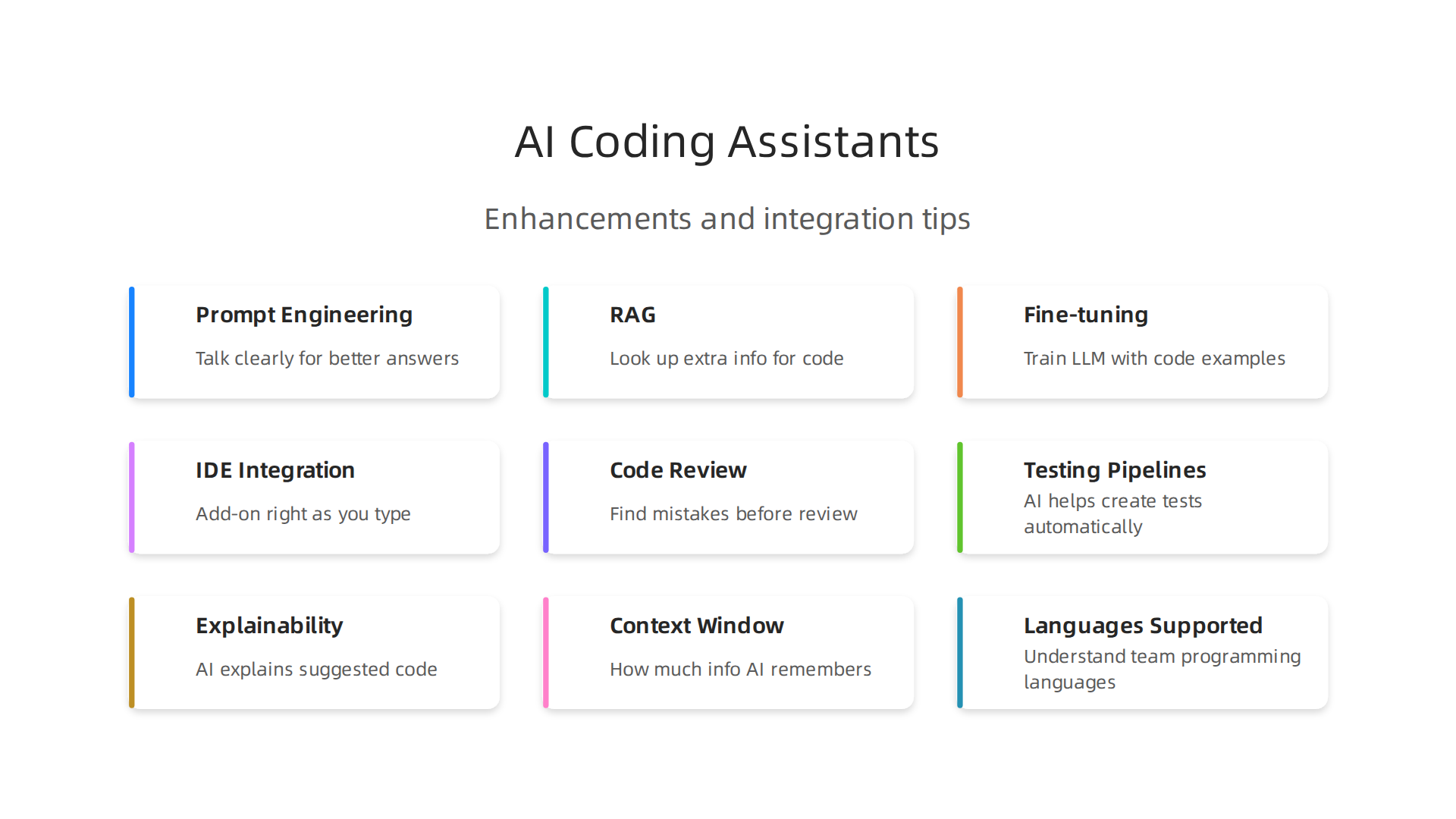
- Prompt Engineering: This is simply how you talk to the AI. If you ask a clear question or give a good instruction, the AI gives a better answer. It’s like giving very specific directions to a helper.
- Retrieval Augmented Generation (RAG): Sometimes, the AI needs more than just its general knowledge. With RAG, the assistant can quickly look up extra information. This could be things like your company’s own special coding rules or libraries of old code. It uses this extra info to give you more correct and helpful code suggestions.
- Fine-tuning: For even more specific needs, companies might "fine-tune" an LLM. This means they train it a bit more using their own special code examples. This helps the AI understand the company’s unique way of working and write code that fits perfectly. It’s like teaching your helper a new, very specific skill. Understanding these core ideas helps explain why even older models like How GPT-3 Architecture and Capabilities Still Drive AI Policy in 2026 remain relevant today.
So, how do you use these popular AI tools? You give the AI an input, which could be a command like "write a function to add two numbers" or "find bugs in this part of my code." The AI then gives you an output, which is usually a suggested piece of code, a fix, or an explanation.
These ai powered coding assistants don’t just sit there. They are built right into the tools developers already use every day.
- IDEs (Integrated Development Environments): These are like the smart notepads where developers write their code. The AI assistant can pop up suggestions as they type.
- Code Review: When one developer finishes writing code, another developer often checks it. AI can help here by looking for common mistakes or ways to make the code better.
- CI (Continuous Integration): This is part of how code is automatically tested and put together. AI can help check code quality early in this process.
Even with all this smart tech, it’s important to remember that these tools are not perfect. Sometimes, an AI might "hallucinate." This means it makes up code that looks right but doesn’t actually work or isn’t correct for the task. Because of this, human developers always need to review the code generated by these assistants to make sure it’s accurate and safe. This is especially true for small business applications, where wrong code could cause big problems.
Choosing the Right Assistant: Capability, Scope, and Limitations
We’ve seen how smart AI powered coding assistants work. Now, how do you pick the best one for your team or your small business?

With so many popular AI tools out there in 2026, it’s like choosing the right helper. You need to look closely at what they can do, how much they can help, and what their limits are. Actually, a lot of developers, about 90%, use at least one AI tool for coding regularly AI Coding Adoption 2026: 50 Statistics From 7 Surveys. This shows just how important it is to pick wisely.
Here’s a simple checklist to help you pick the right AI problem solver:
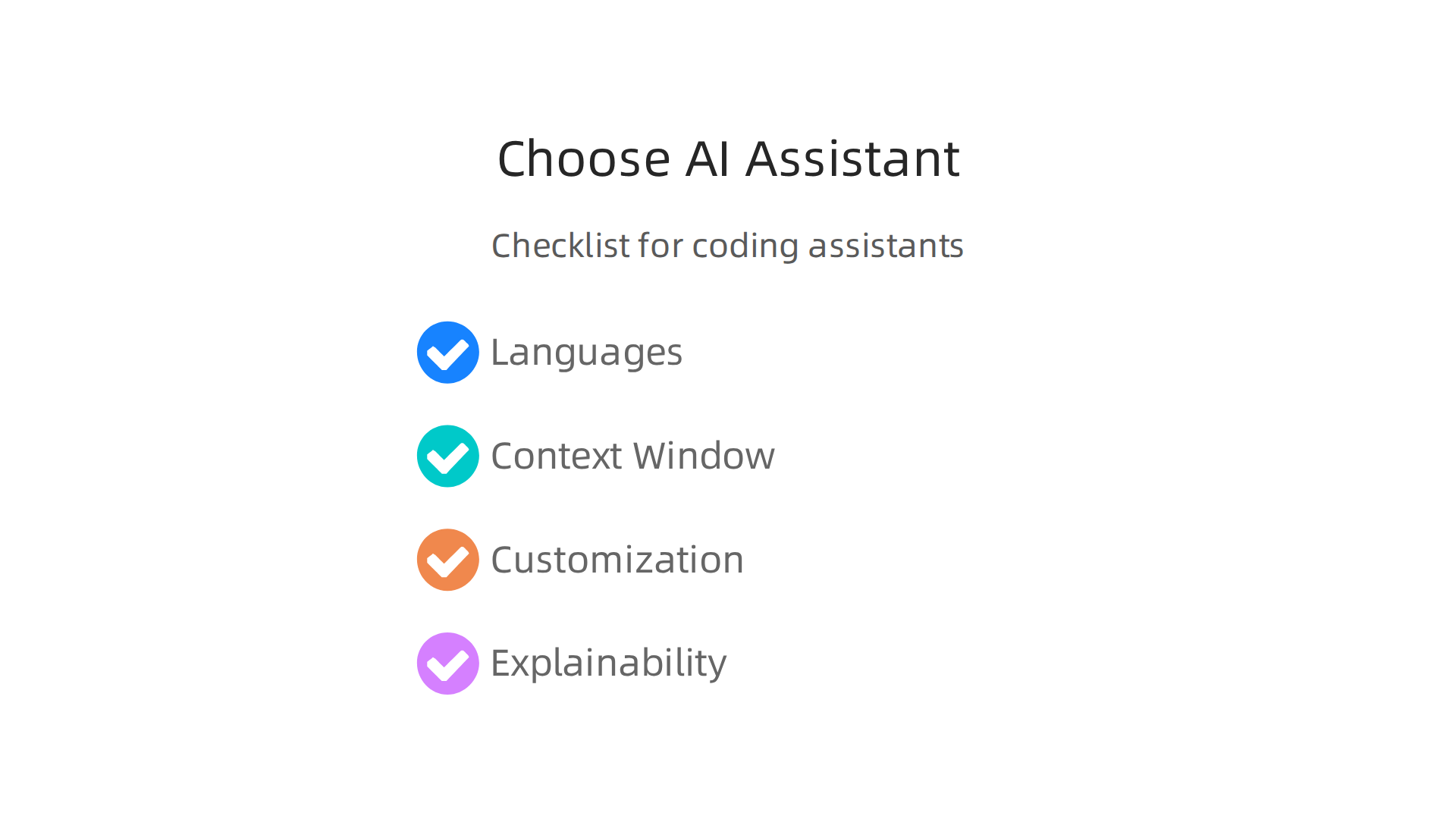
- Code Languages Supported: Does the assistant understand the coding languages your team uses? Some assistants are great with Python, while others are better with JavaScript, for example. Make sure it speaks your team’s language.
- Context Window: This is how much information the AI can remember and use at one time. If your coding projects are big and complex, you’ll want an assistant with a large "context window." It means it can look at more of your code at once to give better suggestions.
- Fine-tuning/Customization: Remember how we talked about "fine-tuning" an LLM? Can you teach the AI assistant your company’s special coding rules or ways of doing things? This is super helpful if your business has unique needs.
- Explainability: Can the AI tell you why it suggested a piece of code? Knowing this helps developers trust the suggestions and learn from them. It’s about making sure the AI isn’t just giving answers, but also clear reasons. For more on this, you can check out how Lucid AI Is Reshaping Business and Work by Making AI Explainable.
Even with the best AI powered coding assistants, there are things you need to watch out for:
- Hallucinations: As we said before, AI can sometimes make up code that looks real but isn’t correct. Always double-check what the AI gives you. This is super important for small business applications where mistakes can be costly.
- Licensing and Training Data: Where did the AI learn all its code? Who owns that original code? It’s important to know if using AI-generated code might cause problems with licenses or ownership of your work.
- Security Surface Area: Adding any new tool, even a smart AI problem solver, can open up new ways for bad actors to get into your systems. You need to make sure the AI assistant you choose is safe and secure.
Choosing the right AI coding assistant is a big step. By thinking about these points, you can make a choice that truly helps your team work better and more safely.
After picking your AI helper, the next big step is fitting it smoothly into how your team already works. This means connecting the AI powered coding assistants to the tools and steps developers use every day. Think of it like making a new team member feel right at home. How well you do this can make a big difference in how helpful your new AI problem solver really is. For small business applications, getting this right can boost how fast and well your team works.
Common Ways to Bring AI Assistants into Your Work
There are several key places where you can add AI coding assistants to your daily coding life:
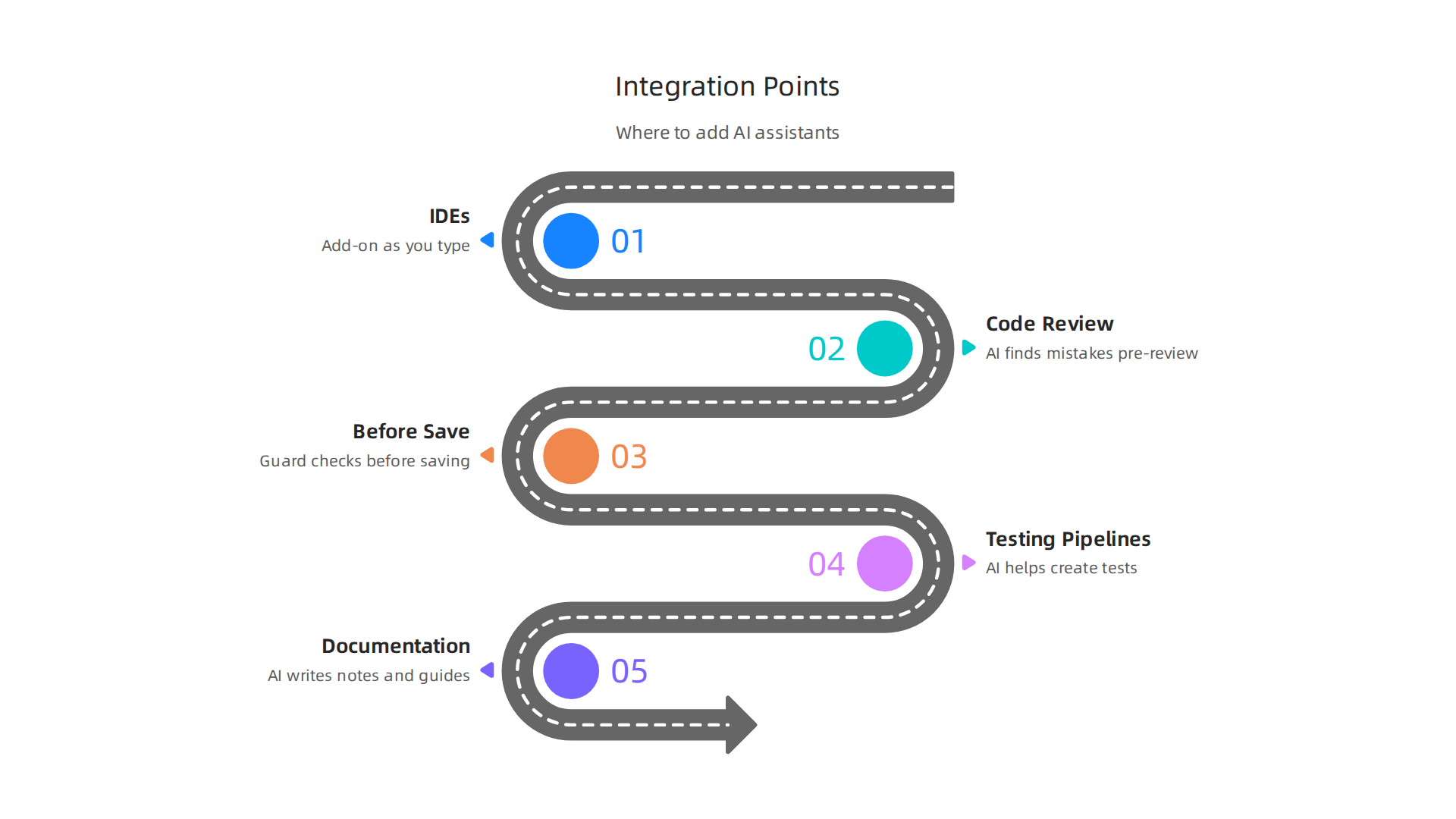
- Inside Your Coding Programs (IDEs): Most developers use special programs called Integrated Development Environments, or IDEs, to write code. AI assistants often come as a small add-on or "plugin" for these programs. This means the AI can give you code suggestions and help right as you type, without you having to switch between different tools. This is a very common way to integrate these popular AI tools. In fact, many follow simple steps to integrate advanced AI coding assistants into your CI/CD pipeline.
- Code Review Automation: When you write code, other developers often check it. AI can help here by looking for mistakes or suggesting ways to make the code better, even before a human looks at it. This makes the review process faster and more effective.
- Before You Save Code (Pre-commit Hooks): Imagine a little guard that checks your code just before you save it to the main project. AI can be that guard, catching small errors or style issues right away.
- Testing Pipelines: After code is written, it needs to be tested to make sure it works. AI can help create tests or even find problems in the code automatically as part of your testing process.
- Writing Explanations (Documentation Generation): Good code also needs good explanations so others can understand it. AI can help write these notes and guides, saving your team time and making sure everyone knows how the code works.
These steps help to integrate AI coding assistants into workflows in a way that truly helps.
Making AI Integration Safe and Smooth
Adding any new tool brings some risk. With AI, it’s super important to put some patterns in place that make things safer:
- Test in a Safe Zone (Staging): Before you let the AI helper work on your main, important projects, try it out in a "staging" area. This is like a practice field where you can see how the AI works without causing real problems if something goes wrong.
- Control Who Can Use It (Access Controls): Make sure only authorized people and systems can use or change the AI assistant’s settings. This helps prevent misuse and keeps your projects secure.
- Keep an Eye on Things (Monitoring): Even after the AI is fully integrated, you need to watch how it performs. Are its suggestions good? Is it making mistakes? Are there any unexpected issues? Keeping track helps you fix problems quickly and ensure the AI remains a valuable helper. Implementing careful oversight and monitoring can help with GitOps in the Age of AI. For a deeper dive into making sure your AI tools follow all the rules, you can also explore how to use a rigorous artificial intelligence review for policy compliance.
Governance, Compliance, and Managing Legal Risk
While making sure AI tools are integrated smoothly, it’s also key to think about the rules and laws.

This means looking at how your AI helper deals with data, keeps things private, handles intellectual property (IP), and stays secure. These things can truly change how much you can use popular AI tools like ai powered coding assistants.
Following the Rules: Data, Privacy, and IP
In 2026, there are more and more rules about how AI should work. For example, laws in places like the EU are setting new standards for AI tools, as shown in the document AI Agents Under EU Law A Compliance Architecture for AI …. In the US, states like California also have strict rules about how AI companies use data to train their models, which is detailed in the Data Privacy AI Regulatory and Compliance Update 2026. It’s very important to know how your ai powered coding assistants handle private information.
Think about it: if the AI learns from your private company code, who owns the new code it makes? This is a big question around intellectual property that businesses need to answer. Experts agree that companies need to assess risks and keep an eye on how AI tools are used to prevent problems, as highlighted in the Third-Party AI Risk and Supply Chain Transparency Guide. To help navigate these broad changes in the industry, you might find it useful to read about Software Industry Policy 2026.
Practical Ways to Control AI Use
To handle these challenges, businesses need good rules in place.
- Access Policies: First, decide who can use your ai powered coding assistants and for what tasks. This is called access control. It helps make sure only the right people interact with sensitive parts of the AI system.
- Code Tracking: Second, you should keep track of what code the AI helps create and what code humans write themselves. This is called code provenance, and it helps you understand where your code truly comes from. The German and French cybersecurity agencies have even put out recommendations for using these assistants safely in their guide on AI Coding Assistants.
- Review Gates: Always have human experts review the code that an ai problem solver suggests. This extra check, or "review gate," helps catch errors or unintended issues before they cause bigger problems.
- Incident Response: And if something does go wrong, like the AI creating faulty code or showing security issues, you need a plan to fix it fast. This is your incident response plan. Knowing how to handle these situations is key for any company, and you can learn more about how to navigate these complexities by exploring How an AI Development Company Navigates Regulation.
Now that you know how to manage the risks, let’s talk about the good stuff: how to measure if your ai powered coding assistants are really helping your business. It’s important to show how these tools save time and money, and how they make your team better at their jobs. This helps everyone see the real value, especially for those making big decisions.
How to Track Success
To truly see if your ai powered coding assistants are making a difference, you need to look at specific numbers.
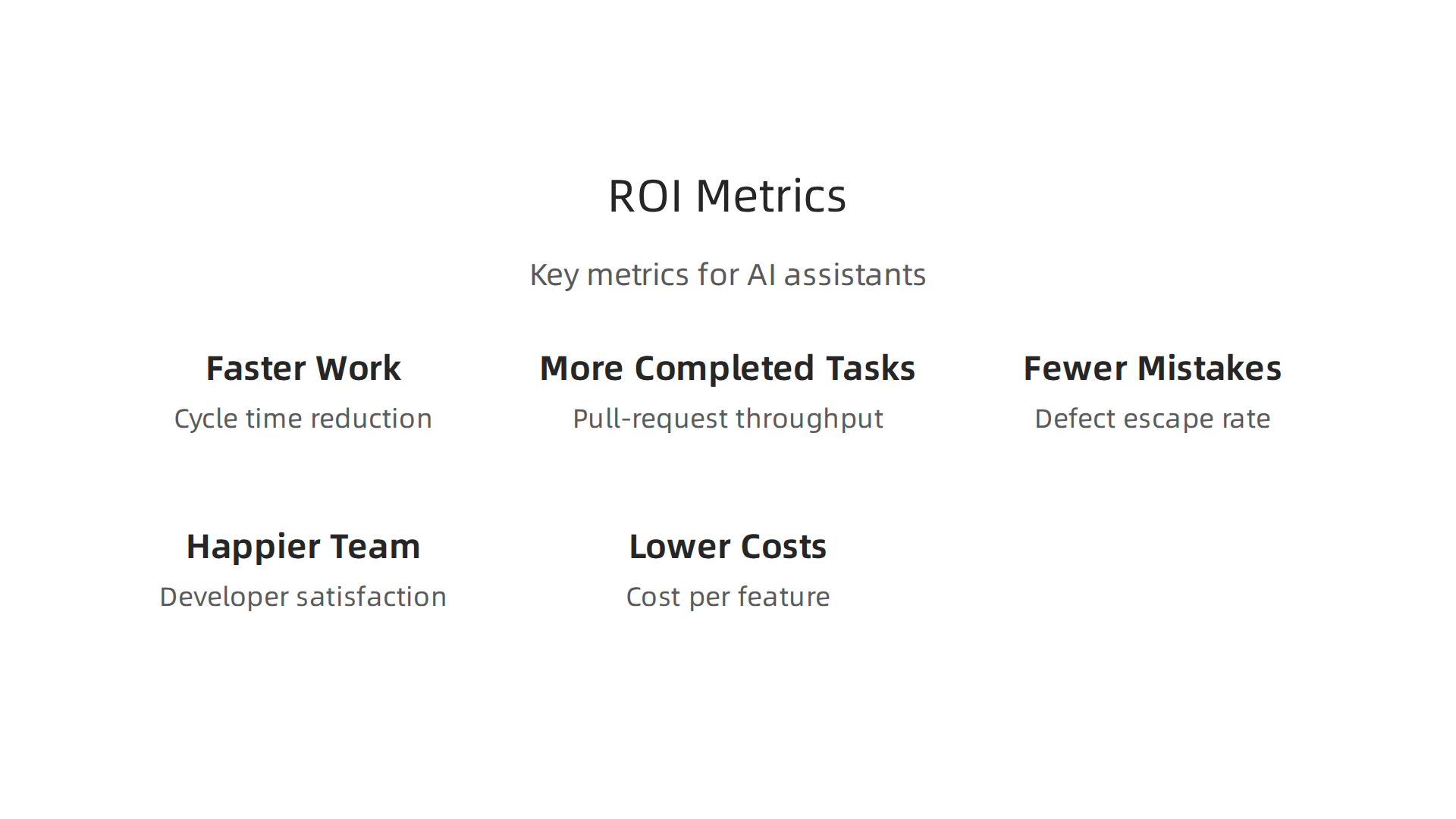
Think of these like scorecards for how well the AI is doing.
- Faster Work (Cycle Time Reduction): This means how quickly a task goes from start to finish. If the AI helps code faster, this time should get shorter. Studies in 2026 show that using AI coding tools can make the time to finish tasks much quicker, sometimes cutting it by almost half or even reducing pull-request review time by over 30% AI Coding Impact 2026 Benchmark Report and Measuring AI’s True Impact on Developer Productivity.
- More Completed Tasks (Pull-Request Throughput): This tracks how many pieces of code your team finishes and gets reviewed. If the AI helps developers write code more easily, they should be able to complete more tasks.
- Fewer Mistakes (Defect Escape Rate): This measures how many errors sneak into the final product. A good ai problem solver should help reduce these mistakes, meaning better quality code.
- Happier Team (Developer Satisfaction): Do your developers like using the AI? Are they less stressed? A happy team is often a more productive team. Many developers say these tools improve their work, with about 89% reporting better productivity according to one survey The State of AI Code Assistants in Enterprises.
- Lower Costs (Cost per Feature): How much does it cost to add one new feature to your software? If AI makes coding cheaper and faster, this cost should go down. Some reports even show companies getting a 12% higher return on investment (ROI) on development projects with AI assistance AI Coding Assistant Industry: 2026 Verified Stats.
These metrics help you prove that your investment in popular ai tools is paying off. For example, developers using AI tools often save several hours each week, which adds up to big gains for a company AI Coding Adoption 2026: 50 Statistics From 7 Surveys.
Testing for Real Results
To get solid proof of your return on investment (ROI) for company leaders, you can run A/B tests. Think of this like a science experiment for your team.
- Divide Your Team: Split your development team into two groups. Group A uses the ai powered coding assistants, and Group B does not.
- Give Them Similar Work: Make sure both groups work on similar projects or tasks over a set period.
- Measure Everything: Track all the metrics mentioned above for both groups: how fast they work, how many tasks they finish, how many bugs they have, and how happy they are.
- Compare the Numbers: After the test, compare the results. If Group A shows better numbers, you have clear proof that the AI tools are helping.
By doing these pilot tests, you can show clear, believable numbers that prove the value of your ai problem solver. This makes it easy for company leaders to see the benefits and support more use of AI. Keeping up with the latest in AI and how it affects business is key for any professional. For daily, detailed insights and analyses on AI and technology policy, make sure to get The AI Newsletter Worth Reading. You can also learn more about The Smartest AI in 2026 to understand these tools better.
After seeing how to test for real results, let’s look at how companies actually use AI coding tools in the real world. Many businesses are finding smart ways to bring these ai powered coding assistants into their daily work.
How Companies Are Using AI Coding Tools
Companies are adopting ai powered coding assistants in a few main ways. These different approaches help them get the most out of their investment.
- Helping New Developers: Junior developers or those learning new programming languages find AI tools very helpful. The AI can suggest code, fix small errors, and explain complex parts. This speeds up their learning and helps them write better code faster. This kind of help leads to big gains in how quickly tasks are finished, sometimes cutting the time by half, as many studies show in 2026 Cracking the Code: how AI is transforming software development.
- Automating Simple Tasks: A big part of coding involves writing repetitive or "boilerplate" code. An ai problem solver can handle these tasks quickly. This frees up experienced developers to work on harder, more creative problems. It’s like having a helper who takes care of the small, time-consuming jobs. This helps reduce how much it costs to add new features to software. In fact, many developers feel these tools improve their work, with 84% reporting better productivity according to some findings The Impact of AI Coding Assistants on Software Engineering.
- Speeding Up Code Reviews: When developers finish a piece of code, others usually review it to check for mistakes and ensure it meets standards. AI powered coding assistants can help here too, by finding potential issues even before human eyes see them. This makes the review process much quicker and helps catch errors early. Some reports show these tools help reduce the time spent reviewing code.
What Companies Have Learned
While using popular ai tools like coding assistants offers many good things, companies have also learned some important lessons.
- Growing Pains: When a company starts using AI more, they might run into problems. For example, making sure the AI works well for a large team can be tricky. Sometimes, the AI tools can even make experienced developers a bit slower at first, as they adjust to the new way of working Productivity Effects Across Generations of AI Coding Tools.
- New Rules to Follow: As AI becomes common, governments and groups are making new rules about how it should be used. Companies need to make sure their AI tools follow these rules, especially when it comes to privacy or how the AI makes decisions. Understanding these changes is important for any business. You can learn more about AI policy in the public sector and how it affects compliance in 2026.
- How to Fix Issues: If the AI makes a mistake or gives code that is not quite right, developers need to know how to fix it fast. Companies are finding that clear guidelines and training help a lot. This way, the team knows how to work with the AI as a partner, not just a tool that does everything on its own. It’s all about finding the right balance. Also, thinking about how an AI development company navigates regulation can offer helpful insights.
By understanding these real-world uses and challenges, businesses can make smarter choices when bringing ai powered coding assistants into their teams.
Bringing AI powered coding assistants into a company successfully means more than just buying the tools.

It’s about helping people learn how to use them well and making sure everyone feels good about the change. This is called change management and training.
How to Help Teams Learn and Grow with AI Tools
Companies need to build good plans to help their teams use new AI powered coding assistants. Think of it as a journey where everyone learns together.
- Build Training Programs: It’s important to create special training programs for different roles. A new developer might need different help than an experienced one. These trainings should show people how to use the AI tools for their daily work, not just talk about AI in general. Running small test groups, called pilot programs, is a great way to start. This lets a few people try out the tools first and share what they learn, making them champions for the new technology AI Change Management: Leading Your Organization. Also, leaders should be trained first so they can support their teams in using these tools well The L&D Leader’s Guide to AI Adoption.
- Update Developer Guides: Just like any new tool, AI powered coding assistants need clear instructions. Companies should update their developer documents and create new guides that show how to work with AI. This includes how to ask the AI questions, how to check its answers, and what to do if the AI makes a mistake. Thinking about project needs early can help create better instructions Five Best Practices for Using AI Coding Assistants.
- Create Ways to Share Ideas: It’s super important to listen to the developers who are actually using the AI tools. Companies should set up ways for teams to share what’s working and what’s not. This "feedback loop" helps the company fix problems, make the tools better, and ensure they meet everyone’s needs. This also helps with governance, making sure the tools are used safely and correctly.
- Build a Culture of Smart Adoption: For AI tools to really work, everyone needs to be on board. Leaders can help by showing how AI helps with the boring parts of coding, freeing up developers for more creative work. This way, people see AI as a helper, not a threat AI Change Management. It’s also vital to always keep human oversight. This means a person should always check the AI’s work, especially for important changes, to keep quality high and manage any risks GitOps in the Age of AI.
By following these best practices, companies can make sure their move to using AI powered coding assistants is smooth and successful, making work better for everyone. For policy experts and leaders, understanding how to train teams to use AI is part of a larger picture of AI literacy for policy professionals. This helps ensure that new tools are adopted in a smart and safe way.
Summary
This article explains why AI powered coding assistants have become essential tools for modern software teams, how they work, and what organizations must consider to get value from them. It covers the core technologies (LLMs, prompt engineering, RAG, fine‑tuning), practical places to integrate assistants (IDEs, CI, pre‑commit hooks, code review), and a checklist for choosing the right tool based on language support, context window, and explainability. The piece also reviews governance and legal risks—data privacy, IP, and access controls—and gives concrete steps for safe rollout, monitoring, and measuring success with metrics and A/B tests. Readers will learn how to pick, integrate, govern, and prove ROI for AI coding assistants while avoiding common mistakes.